How to heal in ROB RUN
Use the current medicine description and interaction to identify a healing item. Player reports / community client data: Wikily’s AFAK entry, labeled November 6 and read November 12, identifies it as medicine and lists acquisition leads. Compare that full name with your inventory, then inspect the item’s use prompt before relying on its icon or a medical-looking name.
Check the displayed use conditions before activating the medicine. Wikily’s entry lists duration, cooldown, and a movement restriction; read the values shown by your own build rather than copying a timed routine. Choose a quiet moment to inspect the action and watch for a progress indicator or reason it cannot begin. Keep the medicine selected while reading those details so you can distinguish the item from another nearby slot.
Step 1: check the medicine, not just the icon
Our inspection checklist starts with the full item name, rarity, quantity, and description. Distinguish usable medicine from a collectible, production ingredient, or loot item that only looks medical. Find the game’s displayed use action without dropping or selling the item as a test. If the interface shows a progress indicator, observe it before repeating inputs or assuming the first attempt failed.
Read any visible restriction or cooldown before spending another item. If you choose to test the action, do so away from danger with as little valuable inventory as practical. Record the health display before and after, along with the exact prompt. Check whether the quantity changes and whether the action finishes; those observations help separate an interrupted use from a completed use with an unexpected result.
Step 2: separate getting medicine from unlocking it
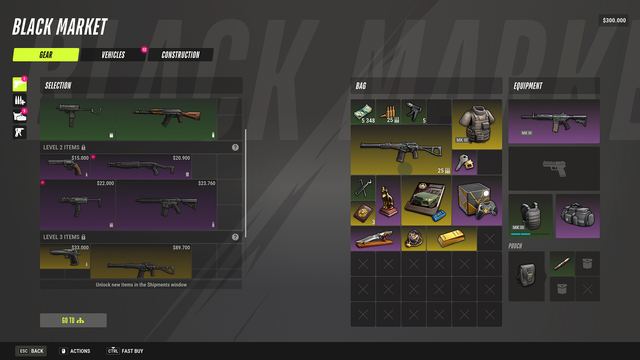
The reviewed community AFAK page lists the Black Market, a city medicine seller, and world loot as leads. Treat these as places to check rather than guaranteed stock or spawn locations. Official Shipments help independently explains that some goods have settlement or jail-time requirements. An unlock condition and the later purchase cost are different questions; inspect both before spending cash.
Official: the October 16 Base Management announcement describes a first-aid kit among the main building’s initial contents. At home, read that object’s prompt separately from a portable medicine item’s description. Check what action it offers, whether any resource is shown, and whether it has a visible restriction. Use the actual object name when comparing advice about a base kit with advice about AFAK in your bag.
If healing does not work
Check whether the game is responding, whether the selected object is medicine, and whether the UI gives a reason the action cannot begin. If movement or another action interrupts it in your client, note that observation along with the on-screen state. Repeat only a low-risk check after reading the prompt, and change one condition at a time so you can identify what affected the result.
Do not intentionally die to restore health as a first troubleshooting step. Kefir’s loss rules vary by location and role, so a respawn can carry an inventory cost. Check your role and location before considering any recovery action. Use the inventory guide to review those loss rules, then keep your carried items and the displayed consequences in mind when deciding whether to restart or seek support.
If you still need help
For a repeatable failure, send official support the medicine name, build, location context, failed prompt, and whether the item was consumed. Include the health display and what happened during the action. Keep account credentials and unrelated chat out of screenshots. No universal healing key or automatic-regeneration rule was verified in this review; ask about the specific action and item that failed rather than substituting a command from another game.