What does the Collection Table do?
Player reports / community guidance checked November 12, 2026: the reviewed collections page describes gathering specified valuables at a base table, packing a completed set into a crate, and handing that cargo to a Smuggler. Start with the collection shown by your table and work backward through its missing items, unlock conditions, and delivery requirements before committing your loot.
Keep three names separate. A Collection Table is described as assembling sets of valuables. The Cargo Workbench page concerns cargo processing, while Cargo Sheet refers to a different item-data lead. Sharing a connection to cargo does not make their inputs, unlocks, or upgrade modules interchangeable. Start with the full workstation name shown in your game before purchasing equipment or moving loot.
Step 1: check the table and its requirements
The community guide names research and a trade-laptop purchase as separate stages. Official Shipments help explains that goods can have conditions tied to settlement level or jail time. Inspect the current table node, prerequisites, purchase price, and placement conditions before committing to a base project. Mark which conditions you already meet so you can focus on the remaining requirement instead of buying a different workstation.
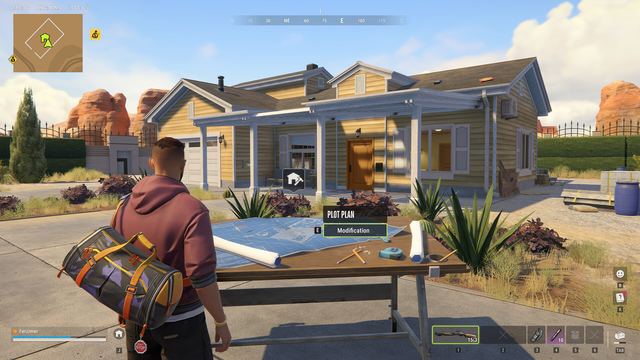
Official Base Management describes workbenches and furniture as inventory items that can be placed, with modules used to expand functionality. Compare the specific Collection Table description with the space and equipment you have. Read any upgrade document’s target before buying it, and keep the table’s name alongside the required module. Use that pairing when checking a collection option that appears locked.
Step 2: compare a collection with your loot
Use the actual collection requirements displayed by your table as the comparison point. Our checklist is to match full names, variants, and quantities before transferring anything. Keep potentially useful valuables separate from items you have already decided to sell. This avoids treating every similar bottle, electronic device, or decorative item as interchangeable when the recipe may distinguish them.
If the table shows an incomplete set, identify the missing entry and compare its full name with your inventory. Make a short shopping or loot list for those exact variants, then inspect finds against that list before selling them. Use the location guide to plan a manageable route, and keep track of items already assigned to a collection so you avoid counting the same piece twice.
Step 3: inspect packing and the hand-in
The reviewed community sequence describes packing a complete collection and moving the resulting crate as cargo. Before confirming a packing action, inspect the output and plan how you would transport and hand it in. Read the displayed carrying restrictions and choose a route appropriate to that cargo. Compare the expected sale with your ingredient costs and the trip you still need to complete.
Do not assume every loot buyer accepts the result. The community guide names a Smuggler for the collection cargo, whereas official loot-selling help discusses fences for ordinary stolen goods. If your current interaction offers no hand-in, verify the object and recipient instead of discarding the crate as a diagnostic step. Keep its exact name and the message you receive.
If the table still will not pack
Check whether the selected collection is complete, whether the requested variants match, and whether a visible upgrade condition remains unmet. Record the table name, collection name, missing requirement, and build before asking support. Include the output prompt if packing succeeds but delivery fails. Keep those two stages separate in the report so a recipe mismatch is distinguishable from a buyer or transport problem.